Screen-time routines
Parents can set scheduled windows, blocked time, and reward allowances.
Snoaper product
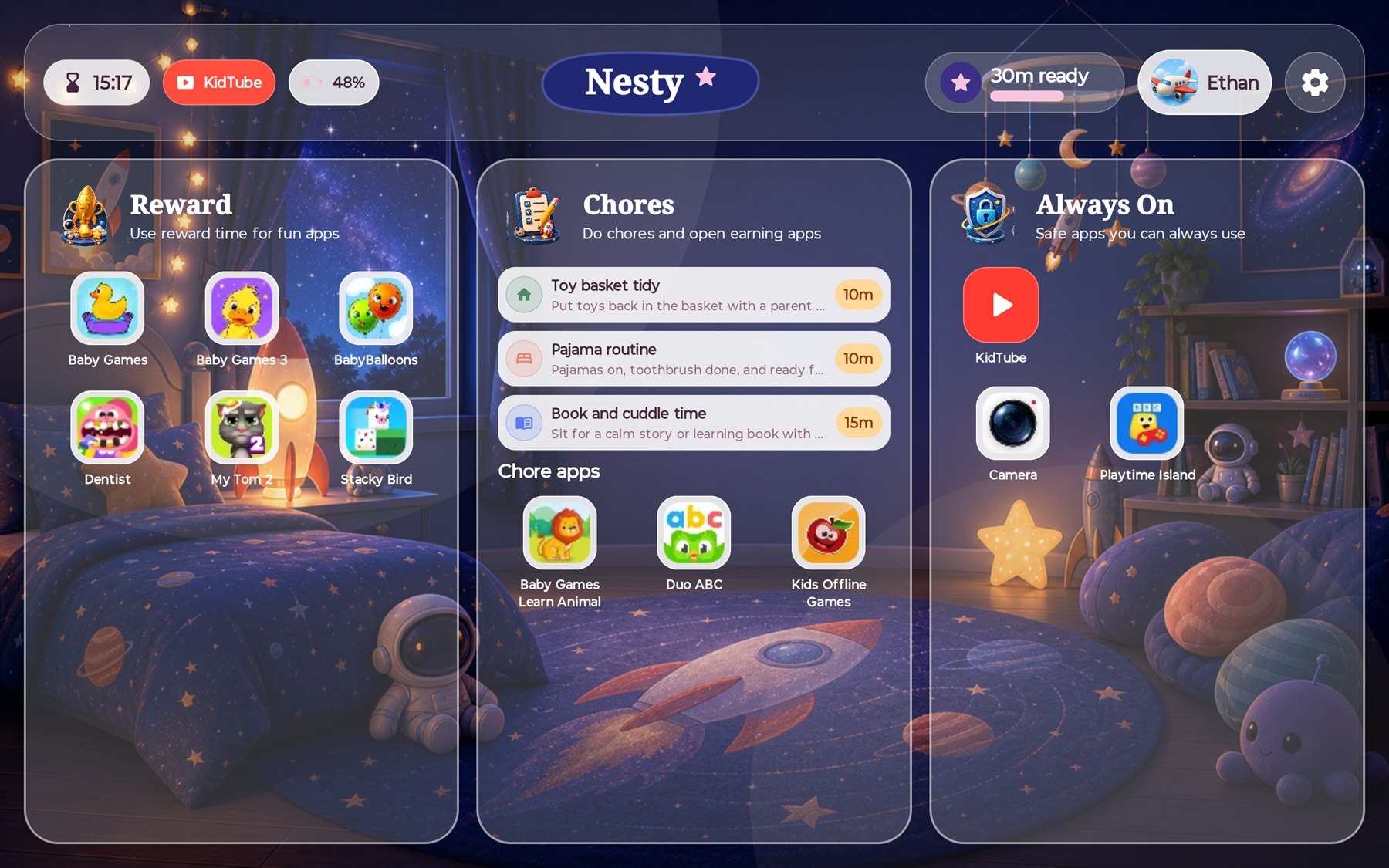
Nesty helps parents turn a child Android tablet into a calmer, managed home screen with screen-time schedules, app and website rules, KidTube, chores, reward time, and protected parent access.
What it is
Nesty is built for families who want clearer child tablet rules without turning every ending into a negotiation. Parents configure the tablet, children see a simple dashboard, and reward time can be tied to chores or learning routines.
Parents can set scheduled windows, blocked time, and reward allowances.
Apps can be treated as reward, chore, always-on, or blocked choices.
Curated video channels can stay inside Nesty instead of open browsing.
Parent PIN, device controls, and install flows help keep the child mode intact.
Tablet testing
Snoaper currently uses the Lenovo IdeaTab as the main recommended Android tablet test path for Nesty setup and ongoing product checks.
Read the Lenovo IdeaTab setup guide on Nesty.familyParent resources
These Nesty guides explain the parent setup choices in more detail, including Android tablet controls, screen time, app lanes, KidTube, chores, reward time, beta testing, and where Nesty differs from Google Family Link.
Start with the broader parent guide for Android child-tablet setup, built-in controls, and where Nesty fits.
Read the Android tablet guideSee how Nesty positions screen time, app rules, KidTube, chores, rewards, and child-visible tablet rules.
Open the app guideCompare daily schedules, quiet hours, chore earning, learning apps, and reward windows for a family tablet routine.
View screen-time schedulesRead the fair comparison for parents who already know Google Family Link but want a simpler child-tablet layer.
Compare Nesty and Family LinkLearn how approved video channels and app lanes can keep the child side clearer without claiming to know what every child should watch.
See KidTube controlsFamilies with a suitable Android tablet can request Google Play tester access and the one-year accepted-tester offer.
Request beta tester access